

Transcripts
Written transcripts of video responses - read alongside the recording during review.
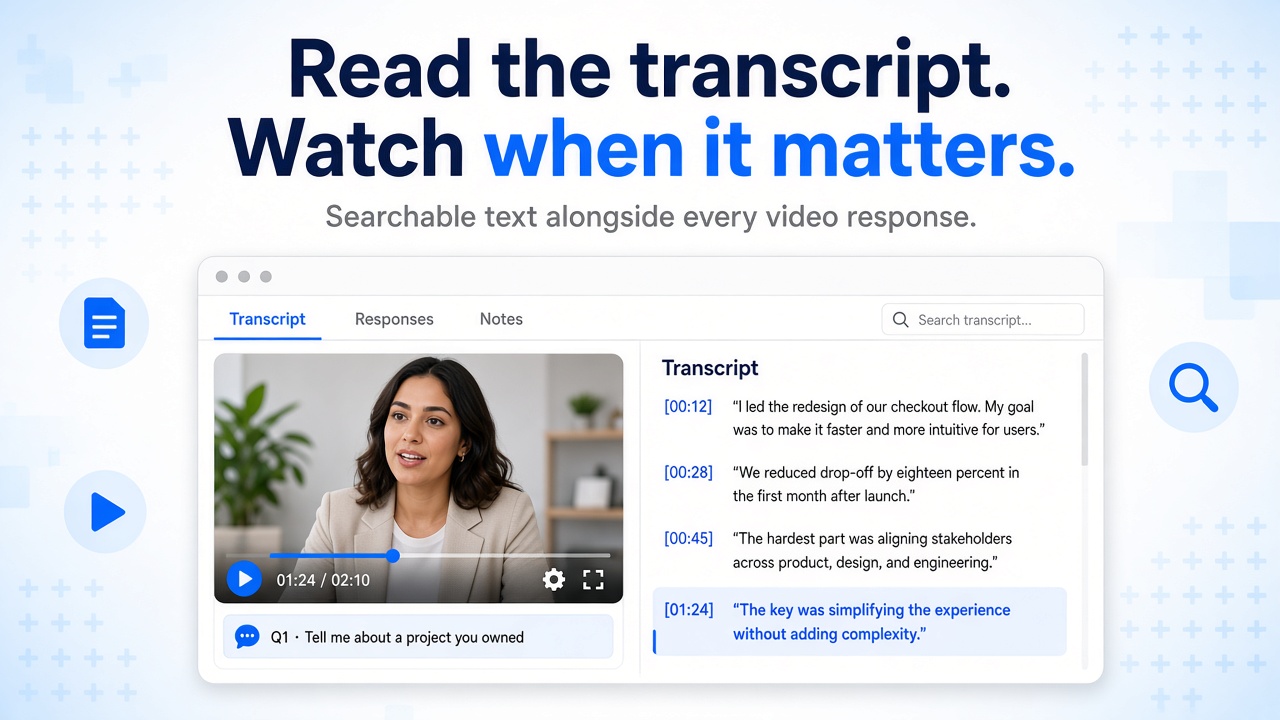
Every video answer can appear as text in the same review screen as the recording - see Transcripts on the main site. Skim faster across a busy queue, follow along with captions while you watch, or pull exact quotes into Collaboration notes for your team.
Full transcript text
Read what the candidate said on each video question - one transcript per recorded answer.
Transcript tab
Open the dedicated tab in the candidate drawer for scrollable text next to the player.
Synced captions
Highlighted lines can follow playback on the video when timed captions are available.
Prepared after submit
When Audio Transcription is on for the job, written text is prepared from the recording after the candidate submits - no extra steps for recruiters.
Read and watch together
Many teams skim the transcript first, then play the video for tone and detail. You choose how much of each - your team stays in control of every hiring decision.
Turn on for a job
Transcription is controlled in Job settings for the whole role.
Open the job
Go to the job in the Hirekal console - the same place you manage questions and applications.
Enable Audio Transcription
Under general settings, turn Audio Transcription on. New jobs default to on; turn it off when you only want video review for a specific role.
Candidates submit as usual
Each video response on that job gets a transcript after submit. Text-only questions stay as written answers - no transcript is generated for those.
Review in the console
Open the application from the job list, select a video question, then switch to the Transcript tab. Read the full spoken answer as text, see the active phrase highlight while the video plays when segments are available, and move between questions to view each answer's transcript separately.
When transcripts help
| Situation | How recruiters use them |
|---|---|
| High-volume screening | Skim text first, then watch the recordings that deserve a deeper look |
| Busy hiring managers | Share quoted lines in notes so others get the substance quickly |
| Long or detailed answers | Scan structure in text, then jump to the video for key moments |
| Accessibility | Read when that fits the review workflow better than watching end to end |
| Structured interviews | Compare answers across candidates on the same question set |