

Speech scores
Communication, speech clarity, and fluency signals from recorded audio - to support review, not replace it.
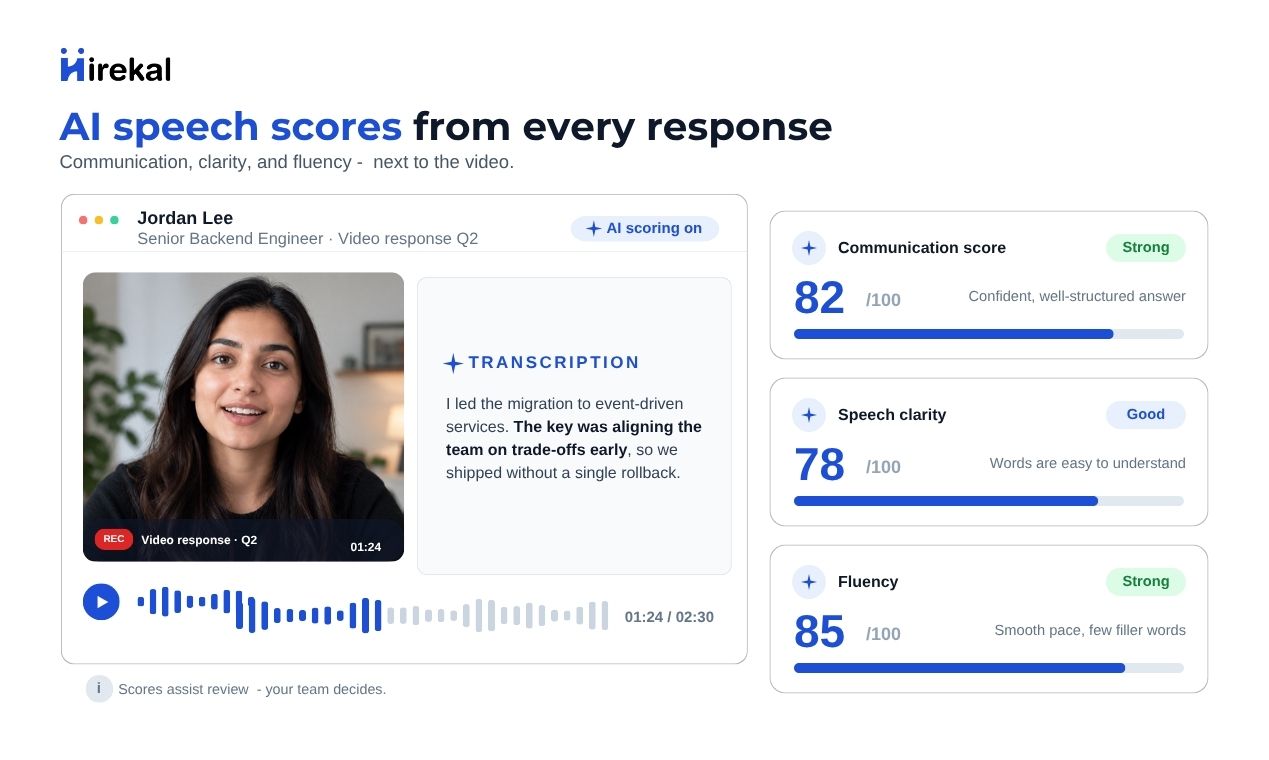
When Audio Transcription is enabled on a job, Hirekal can add speech scores next to each video answer after transcripts are prepared. Scores come from the recorded audio - overview on Speech scores - so you can triage faster and still watch the video for full context.
Communication score
An overall signal for how clearly and effectively the candidate explained themselves on that answer.
Speech clarity
How cleanly the spoken words come through in the recording - articulation and pronunciation in the audio.
Fluency
How smoothly the candidate speaks - flow and continuity of speech on that response.
Scores sit next to the video
Speech scores support your review. They do not grade accent, personality, or cultural fit, and they do not decide who gets hired. Your team watches the recording and makes every decision.
What each score means
Scores appear in the candidate review drawer beside the video. Each uses a 0-100 scale with a plain-language label such as Excellent, Good, Fair, or Needs Improvement.
| Score | What it tells you | How recruiters use it |
|---|---|---|
| Communication score | A combined view of how clearly the candidate communicated on this answer | Compare first-round responses quickly when volume is high |
| Speech clarity | How easy the speech is to follow in the audio itself | Notice when an answer may be hard to hear before you replay the clip |
| Fluency | How smoothly the words flow - fewer long pauses and smoother delivery on that recording | Spot delivery patterns that are easier to miss when skimming many videos |
Scores reflect that one video answer. Open each question in the application to see metrics per response.
When scores appear
Speech scores follow the same job setting as Transcripts. They are prepared from the recorded audio after transcription completes for that answer.
Turn on Audio Transcription
In Job settings, enable Audio Transcription for the role. Speech scores are not produced when transcription is off.
Candidate submits video answers
Each recorded question on the job can receive scores once processing finishes for that answer.
Open the application to review
Select a candidate, play a video response, and read the communication metrics in the review drawer next to the player.
Review in the console
Open an application and select a video question. Communication metrics appear alongside the player when they are ready for that answer.
Use Communication score for a quick overall read, Speech clarity when audio quality matters, and Fluency when smooth delivery is part of what you are evaluating for the role.
When scores help
| Situation | How recruiters use them |
|---|---|
| High-volume screening | Prioritize which applications to watch in full first |
| Customer-facing or presentation roles | Add a communication signal alongside substance in the answer |
| Structured first rounds | Compare many candidates on the same question set |
| Hiring manager handoff | Pair scores with Collaboration notes so others know where to focus |
| Remote and async hiring | Get a consistent signal from recorded speech before scheduling live time |