

Custom domain
Serve candidate apply links on your own domain via Add-ons → White labeling in the console.
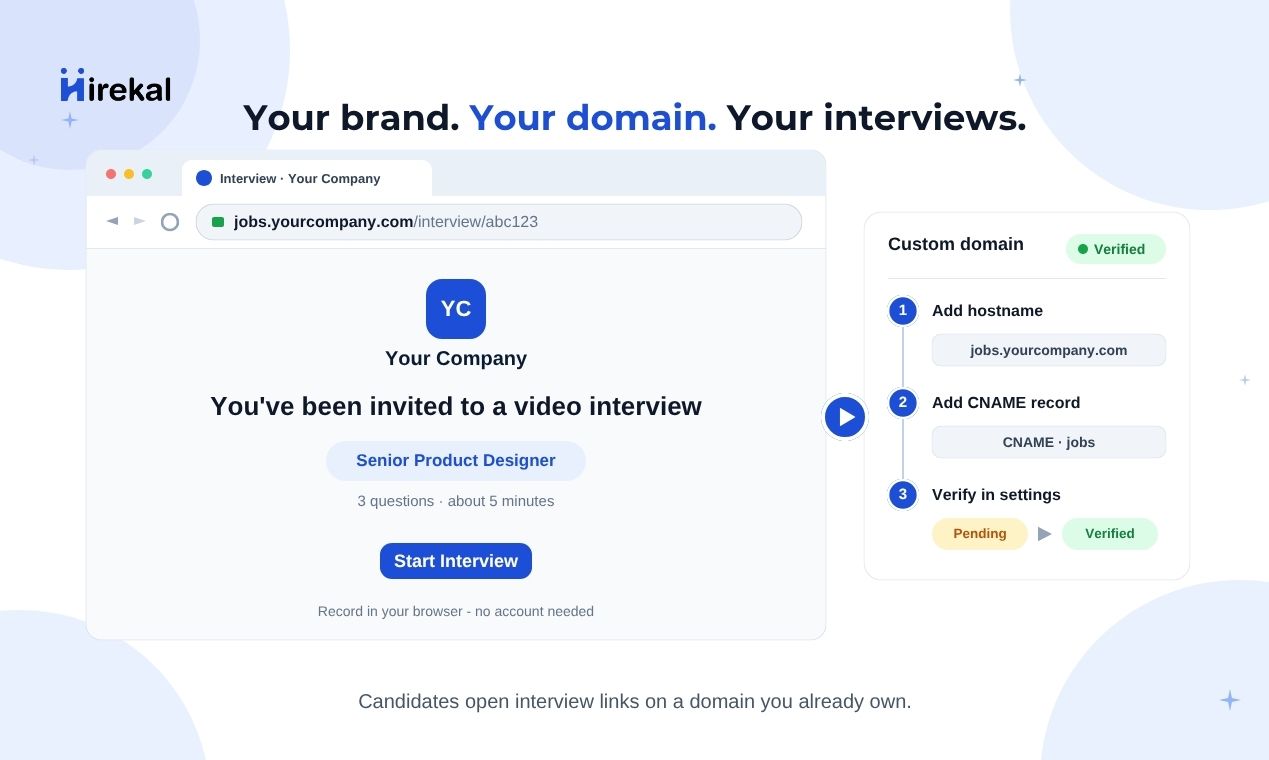
Use your own domain for public job apply links - for example jobs.yourcompany.com instead of the default Hirekal hostname. See Custom domain on the main site.
In the console this lives under Add-ons → White labeling. The page title is White labeling; the configuration card is labeled Custom domain. This doc uses custom domain as the feature name.
Where to configure
- Open Add-ons in the sidebar.
- Click the White Labeling card.
- Configure Custom domain on that page.
Owners and Admins can add, verify, and remove domains. Recruiters see a message to contact a workspace admin.
Pair custom domain with Branding (colors and font under Add-ons → Branding) and Job settings (company logo per job) for a fully on-brand apply experience.
Benefits
A custom domain strengthens employer brand on candidate-facing links, adds a consistent trust signal in invite emails, and makes it easier to align with internal IT and security policies.
Custom domain affects candidate-facing apply URLs only. Recruiters still use the console at app.hirekal.com.
Setup overview
Enter hostname, for example jobs.yourcompany.com.
Create the record at your domain host.
Click Verify after DNS propagates.
Apply URLs use your verified domain.
Add your domain
On Add-ons → White labeling:
- Enter your hostname in Domain - for example
jobs.yourcompany.com(nohttps://prefix). - Click Save.
Hirekal shows a table with Domain, Target, Record type, Status, and Action. Status starts as Pending until DNS is verified.
Reserved domains such as hirekal.com and *.hirekal.com cannot be used.
Verify DNS
Before clicking Verify, add the DNS record shown in the console at your domain registrar or DNS host:
| Column | Meaning |
|---|---|
| Domain | The hostname you added |
| Target | The value to point your DNS record at |
| Record type | The DNS record type Hirekal expects (for example CNAME) |
| Status | Pending until verified, then Verified |
Click Verify when the record is in place. If verification fails, wait a few minutes and try again - DNS propagation can take time.
After verification, Hirekal provisions SSL/TLS for the hostname. Public job apply links can then use your domain.
After verification
Once status is Verified, share job apply links as usual from the job detail page. Candidates open interviews on your domain while you review in the standard console.
To remove the domain, click Remove on the domain row and confirm Remove custom domain? - apply links revert to the default Hirekal hostname. You can add and verify a new domain anytime.
Access
| Topic | Detail |
|---|---|
| Who can configure | Workspace Owner or Admin only |
| Add-ons hub | Add-ons → White Labeling alongside Branding |
| Console access | Recruiters use app.hirekal.com; custom domain is for candidate apply URLs only |
White labeling does not change where your team signs in.
Related pages
Contact support@hirekal.com if you need help with enterprise DNS constraints.